GRFICS v2 + OpenPLC ICS Cyber Range Setup
This post details lab creation and setup of version 2 of the Graphical Realism Framework for Industrial Control Simulation (GRFICSv2)
GRFICSv2 is a full virtual ICS environment containing a Programmable Logic Controller (PLC), Human-Machine Interface (HMI) with Historian and an Engineering Workstation. We're going to put a spin on things and chuck an attacker machine outside of the Industrial Control System (ICS) zone and execute some attacks in a completely offline environment against a simulated Chemical Plant! Over time, the intention is to continue increasing lab size forming the test bed for larger attacks against bigger OT networks and technologies, with the focus of Adversarial AI and Machine Learning research in an ICS environment.
Hardware Requirements:
- CPU: Quad-core (Intel i5/i7 or AMD Ryzen)
- RAM: 16 GB minimum (GRFICS is heavy)
- Storage: 60–80 GB free (VM images take space)
Software Requirements:
- VMware Workstation Pro or VirtualBox (I much prefer VMWare despite the hell that is Broadcomms website)
- GRFICS v2 VM image (Git Repo Here)
- Kali Linux (Over Here)
Virtual Machine Setup:
Import the Virtual Machines (there should be 5) into VMWare and create two segregated networks in the Virtual Network Editor for the Demilitarized Zone (DMZ) and for the ICS Network.
- pfSense Router & Firewall (To segregate the ICS and DMZ network)
- A HMI & Historian, ScadaBR, which will sit in the DMZ
- Our modified OpenPLC, which will sit in the ICS network
- Our ChemicalPlant, of course sitting in the ICS Network
- A Workstation for admin tasks on our chemical plant, also in the ICS network
We'll have two /24 subnets with routing through a pfSense firewall.
- 192.168.95.0/24 ICS
- 192.168.90.0/24 DMZ
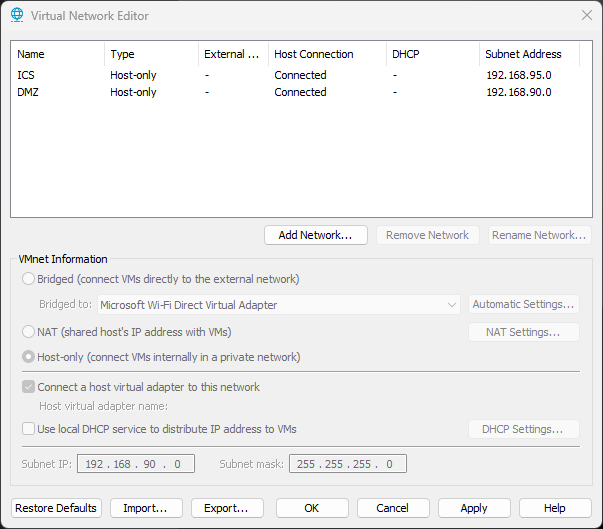
Configure each of the Virtual Machines to have the below network interfaces assigned to the correct networks:
- pfSense NIC1 - DMZ Network
- ScadaBR HMI - DMZ Network
- pfSense NIC2 - ICS Network
- PLC - ICS Network
- ChemicalPlant SIM - ICS Network
- Workstation - ICS Network
Once configured, start up the systems in the following order (the wrong order may result in no connectivity between the HMI and PLC) :
- pfSense Appliance
- Chemical Plant Sim
- PLC
- Workstation
- ScadaBR HMI
As depict in the below network diagram, traffic flow is incredibly primitive, typically MODBUS messages over TCP/502. The PLC and Chemical Plant talk, as do the PLC and the HMI. You need that communication back to the HMI in order to monitor plant status and report statistics.

At this point, there's two URL's you should be able to login to view the plant status, the HMI for reporting metrics, and a simulated webcam for physically viewing the status of the machinery:
http://192.168.90.5:8080/ScadaBR/login.htm (username & password: admin)
http://192.168.95.10/ (no credentials required)
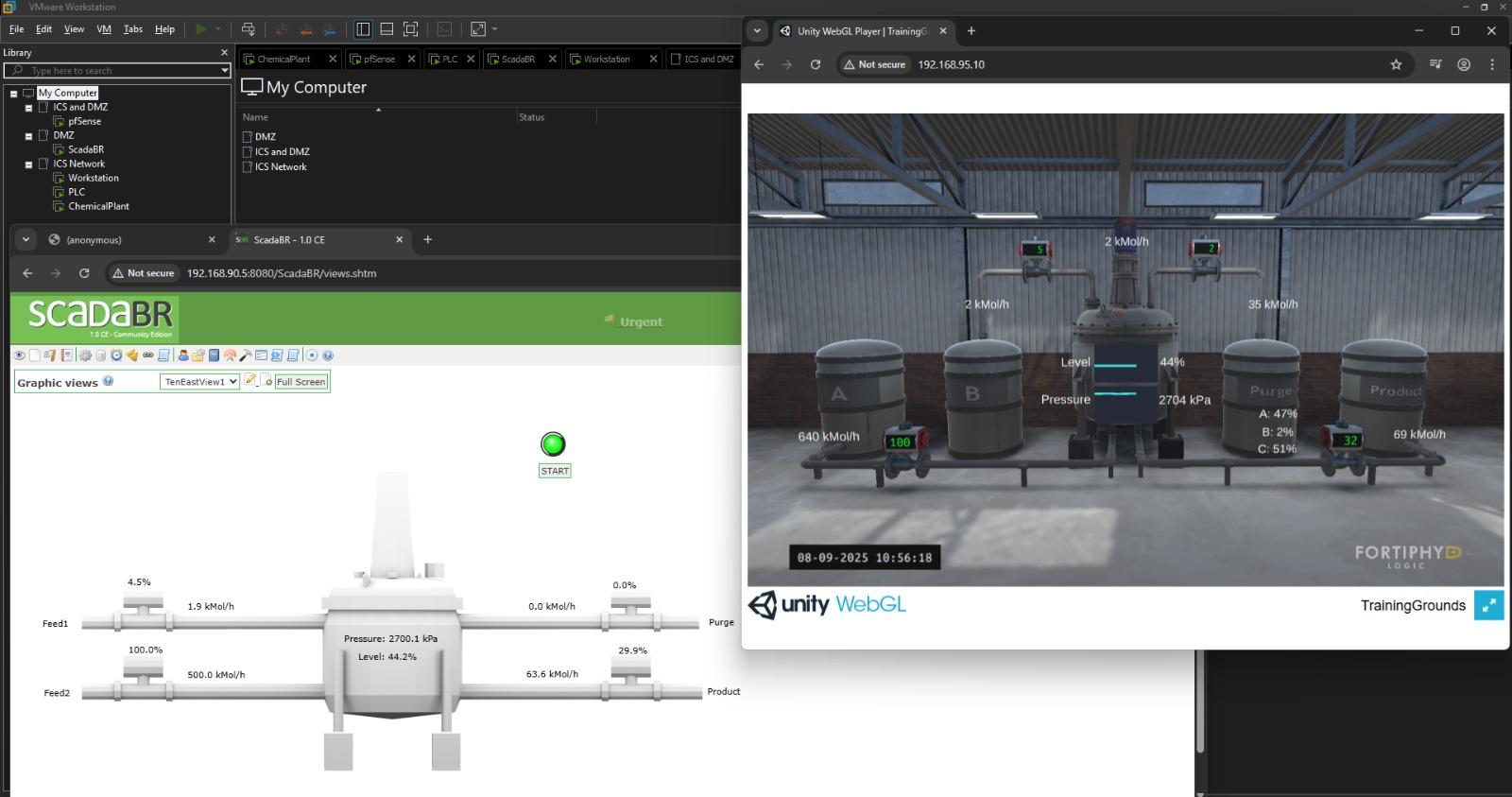
Now that's setup and working, slap a Kali Linux instance (or arguably any distro of your choice) in the DMZ and we'll get into some entry level Man-In-The-Middle attacks and Modbus Injection.
References: https://fortiphyd.com/